Grid and Contour: Columnar/XYZ File
To include and use a columnar file, turn on Include XYZ
columnar data file and click  to map to the XYZ Columnar
ASCII
file.
to map to the XYZ Columnar
ASCII
file.
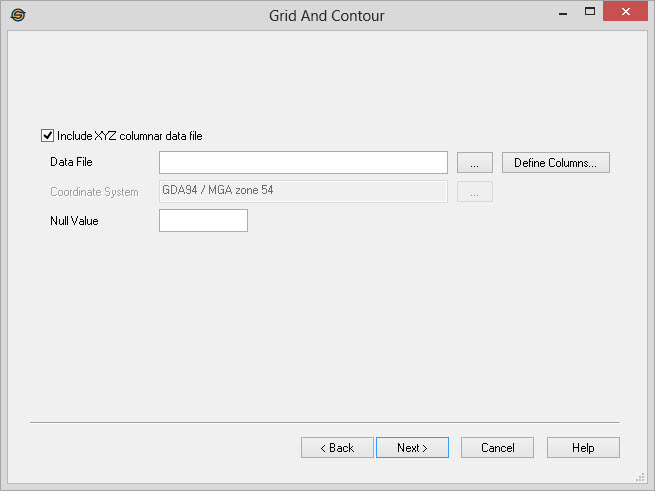
Include XYZ File
Include XYZ Columnar data file: Turn this on to
use the data stored in an ASCII file as seed points into the
gridding process.
ASCII File Details
Data File:
The file path of where the data file is located. Click
to select the file. Define Columns: Click
to define the columns in the
ASCII file
that has been
selected.
Define Columns: Click
to define the columns in the
ASCII file
that has been
selected.
Coordinate System: For any data that is
stored in latitude/longitudes, this is the
coordinate system used to project the data. If a coordinate system had
been defined in Project
Properties you will not be able to edit this value.
Null Value: Specify a null value for Z data
within the file. This value will not be included in the gridding
operation. This is frequently -9999.99.
Grid and Contour Wizard Options
— MORE INFORMATION

|
Copyright © 2020 | SeisWare International Inc. | All rights reserved |