Template Builder: Toolbars
The Template Builder window has one toolbar used to manipulate the orientation and zoom level of the template. To add or remove the toolbar, right click on the toolbar and select the toolbar you want to add or remove.
Camera Toolbar

The Camera Toolbar controls the zoom level of the display and allows you to define and return to a home position.  See Camera Toolbar options...


 /
/
Elevation Toolbar
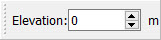
The Elevation Toolbar is used to define the elevation of the platform associated with the template.
Z Scale Toolbar

The Z Scale Toolbar is used to define the vertical exaggeration of your Template Builder.
Color By Target Toolbar

The Color By Target Toolbar is used to color your levels based on the level’s defined Target. Note: Color is set in the Target Properties dialog.
— MORE INFORMATION

|
Copyright © 2020 | SeisWare International Inc. | All rights reserved |