Log Curve Well Zone Attributes
The Log Curve Well Zone Attributes application allows you to extract log curve data over a well zone or location of a top and export the data to a file, as a well top, log curve, or zone attribute.
 How do I export log curve data at well locations?
- Select which wells to use.
- Choose the intersection parameters to decide where and which values to extract data from.
- Select which curves you would like to extract data from.
- Specify your output parameters and click
 to perform the extraction operation.
General Information
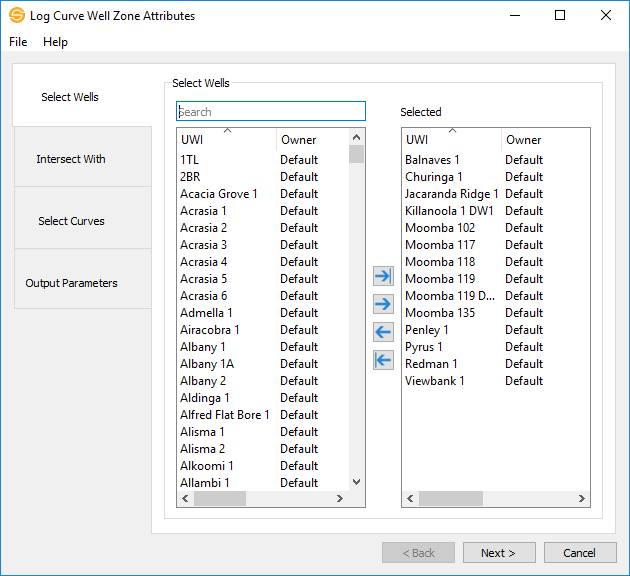
Select Wells
The Select Wells page allows you to select the wells that you want to extract data from. Left click to select a single well, or use the Ctrl key on your keyboard to select multiple wells. Alternately, you can move a single well to the Selected list by double clicking on it or use the  icon. To move all wells to the Selected list you can use the
  icon.
icon.
To help you make you selections, sort any column by left clicking on the column header or type a search string into the search bar to limit the list using UWI or Owner information.
Options
— MORE INFORMATION

|
Copyright © 2020 | SeisWare International Inc. | All rights reserved |