Fault to Horizon
The Fault to Horizon application allows you to convert a fault into a horizon. This might be useful if you want to see the fault ribbon on a map, or for export into applications that can not handle faults. Horizon can only have one time value per trace. If there are multiple values on the trace, the deepest value (in time) is used.
 How do I convert a fault to a horizon?
-
Select the fault from the Faults list.
-
Select the Input Parameters.
-
Give the horizon a Name.
-
Click
 to generate the horizon.
General Information
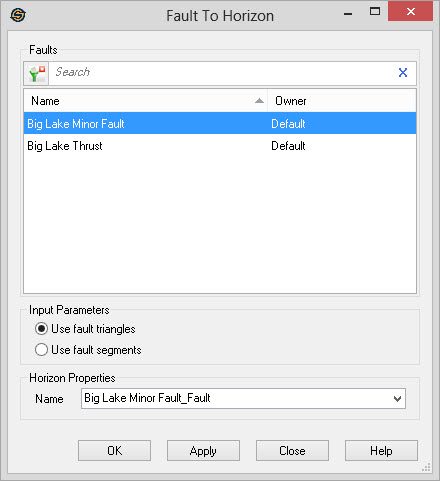
Faults
Select the faults you want converted to horizons from the Faults list.
Left click to select a fault, or use the Ctrl key on your keyboard to select
multiple faults. To help you make your fault selections,
left click on column headers to sort
the column, apply a filter ( ), or type a
search string into the search bar
to limit the information in the list based on Name, or Owner information.
), or type a
search string into the search bar
to limit the information in the list based on Name, or Owner information.
For additional selection and navigation options right click on the Faults list to access
the shortcut
menu.
Input Parameters
You can select the method to use when creating the horizon.
Use Fault Triangles: This creates the horizon based on the fault triangles. The fault triangles must be generated before using this option. This is a quick way to view you fault surface on the Basemap.
Use Fault Segments: This
creates the horizon based on the fault segments. This is a quick
way to view the fault segments as ribbons on the Basemap.
Horizon Properties
— MORE INFORMATION

|
Copyright © 2020 | SeisWare International Inc. | All rights reserved |