Triangulate Faults
The Triangulate Faults dialog allows you to triangulate fault segments into surfaces. The triangulated surfaces can then be displayed in the 3D Geophysics tool and the Seismic Viewer. The triangulated surface is only computed using the picked segments at the time of triangulation. If more segments are added you can triangulate your fault again. You can also delete the triangulation, modify fault segments and triangulate the surface again.
 How do I triangulate a fault?
-
Select the fault to be triangulated.
-
Click
 .
. -
Continue picking faults with the dialog open, and click
to update the
triangulation.
How do I delete fault triangles?
-
Open Fault Properties.
-
Highlight the fault on the table.
-
From the Edit menu select Delete Triangles.
General Information
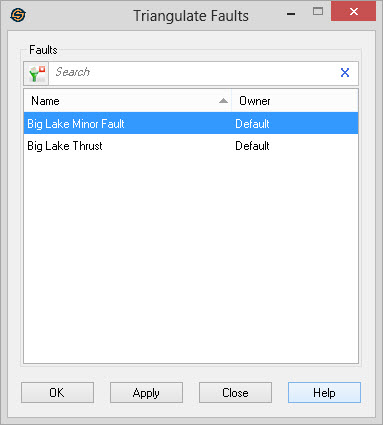
Select Faults
Select the faults you want triangulated from this list. Left click
to select a fault, or use the Ctrl
key on your keyboard to select multiple faults. To help you make
your fault selections,
left click on column headers to sort
the column, apply a filter ( ), or type a
search string into the search bar
to limit the information in the list based on Name, or Owner information.
), or type a
search string into the search bar
to limit the information in the list based on Name, or Owner information.
— MORE INFORMATION

|
Copyright © 2020 | SeisWare International Inc. | All rights reserved |