Automatic Mistie Analysis: Select Mistie Run
When you open Automatic Mistie Analysis, you are given an opportunity to select an existing mistie run, or create a new run. A run contains the parameters used for your mistie including the seismic lines, so that you can come back to the same process later on.
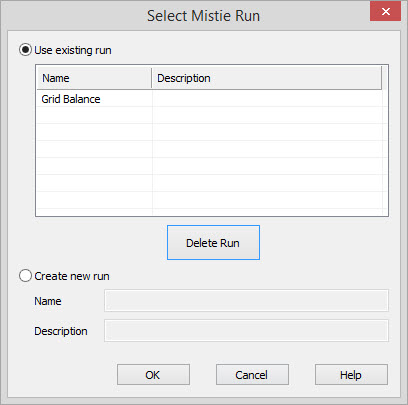
Select or Delete a Run
Use
Existing Run:Turn this on to select of
delete a run.
Select a Run:Use
the list to select a run, and
click  to
launch the run.
to
launch the run.
 Delete Run:Select the run using from the
list and click the button. You
will get a warning, and once the run is removed it can't be retrieved.
Delete Run:Select the run using from the
list and click the button. You
will get a warning, and once the run is removed it can't be retrieved.
Create New Run
Create New Run: Turn this on to create a new run.
Name:Enter a name for the new mistie run. This will appear on the list the next time you open Automatic Mistie Analysis.
Description: Enter a description for the run.
Automatic Mistie Options
— MORE INFORMATION

|
Copyright © 2020 | SeisWare International Inc. | All rights reserved |