Grid and Contour: Grid Existing Contour
Select this option to generate a grid from existing contours.
 How do I grid and existing contour using the grid and contour wizard?
-
Select Grid Existing Contour.
-
Select the Existing Contour from the list. The option to Resample the Contour Vertices ensures there is an even spacing between the control points being used for the gridding process. The Sample Interval is in map units and specifies the space between the points along the contour line that will be used in the gridding process.
-
Select the Gridding Technique. This is the algorithm that will be used to grid the data.
-
Select the Restricting Polygons to use. This will allow you to specify the polygon to clip the data to. Move the polygon under 'Inclusion' for areas to use to grid and 'Exclusion' for areas to omit.
-
Select the Grid Extents. Either select an existing grid to match, specify the bin size or the number of bins to use.
-
(Optional) If a gridding technique that supports anisotropy was selected (such as kriging or minimum curvature), set the Anisotropy and Search Options.
-
Select the Grid Residuals. Create and attach a surface trend and/or a residual.
-
(Optional) Save the Parameters. Save the parameters used for the operation so that the grid can be replicated at a later date.
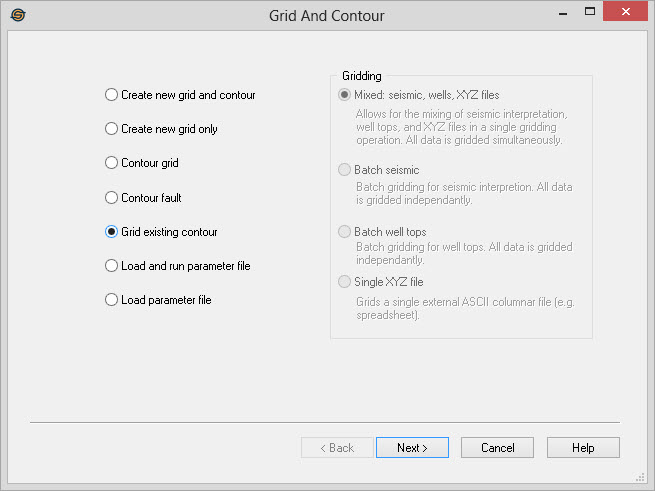
Grid Existing Contour Wizard Options
— MORE INFORMATION

|
Copyright © 2020 | SeisWare International Inc. | All rights reserved |