Data Pipeline: Map Formations
The Map Formations page allows you to choose how the formations will
be
retrieved
into SeisWare.
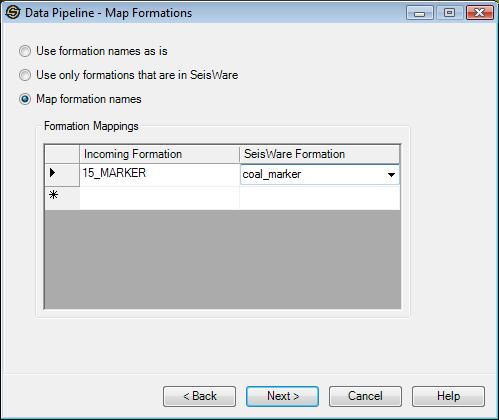
Use Formation
Names as is: Retrieves the formation
into
the current project with the same formation name as the data source.
Use Only
Formations that are in SeisWare: Retrieves
only
formations
that exist in the current SeisWare project.
Map Formation
Names: Allows you to specify a from
and a to formation
name.
The first Incoming Formation Name can be selected from a drop down list of formations selected. The SeisWare Formation Name can be selected from a list of formation names in the current SeisWare project, or can be typed in. To delete a row in the table, select the row and press the delete key.
Note: Depending on the Data Source selected and the Data Types to import not all pages may appear.
— MORE INFORMATION

|
Copyright © 2020 | SeisWare International Inc. | All rights reserved |