Well Template Importer
The Well Templates Importer is a new format for importing tracks templates into your project for use in the Well Template Designer or in applications such as the Cross Section Viewer. The file format is a SeisWare specific file type with the extension .welltemplate. These files are generated by the Well Template Exporter.
General Information
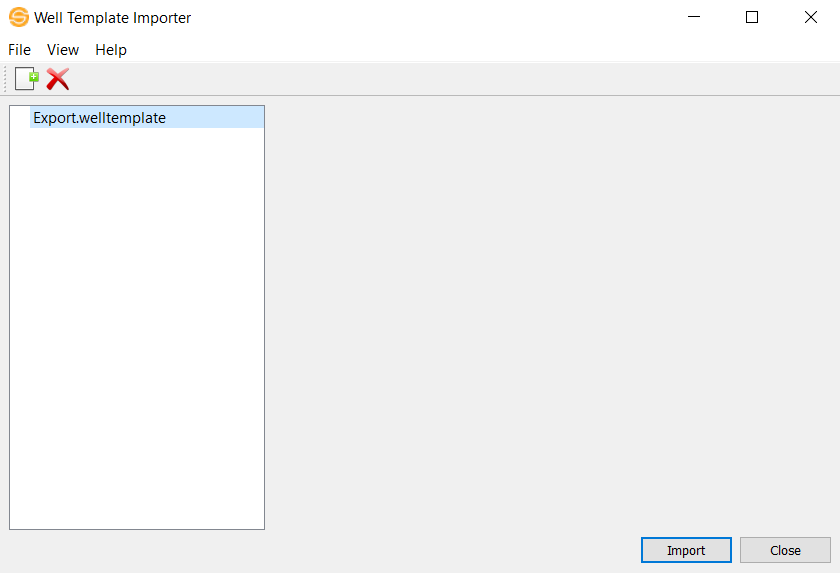
 How do I import tracks templates?
1. The file list, located on the left side of the dialog box, displays the list of files that you want to import. Drag and drop files into this area or click  to select your input files.
2. Click  to import your files.
Menus
File Menu:
Add Files: Opens an explorer window so you can navigate to the files you want to import.
Remove Files: Removes the selected file(s) from import.
Exit: Exits the application.
View Menu
View File: Opens the image file in your computer's default application for that file type.
Help Menu
Help: Opens the Help files for the dialog.
About: Provides general information about the current version of the application.
Toolbars
The Edit Toolbar allows you to add files to import and remove files from import.
Edit Toolbar

Add File: Select files to bring into the importer.
 Remove File: Removes the selected file from the importer.
— MORE INFORMATION

|
Copyright © 2020 | SeisWare International Inc. | All rights reserved |