Well Template Exporter
The Well Template Exporter exports tracks templates from your project in the *.welltemplate format. This is a SeisWare specific file type and can be imported using the Well Template Importer into other SeisWare projects.
General Information
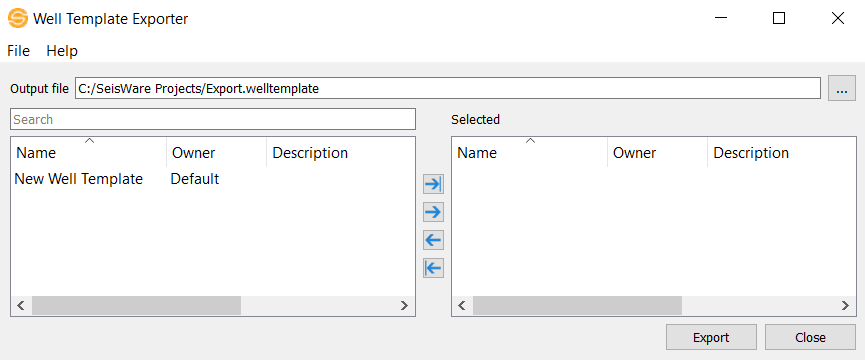
 How do I export well templates?
1. Specify a name for the exported file in the Output file field. Note: Use the "..." button to change the output Folder location.
2. Use  to move only the highlighted tracks templates to the Selected list or
  to move all tracks templates to the Selected list.
3. After you have selected the tracks templates you would like to export, specify the output file, and click  .
.
File Menu
Exit: Exit the Well Template Exporter dialog.
Help Menu
Help: Opens the Help files for the current dialog.
About: Provides general information about the current version of the application.
— MORE INFORMATION

|
Copyright © 2020 | SeisWare International Inc. | All rights reserved |