Horizon Clear: Clearing Parameters
The Clearing Parameters page of the Horizon Clear wizard allows you to select polygons to limit the geographical area on the clearing operation, or to set horizon value constraints to clear outliers from horizons. If Horizon Value Constraints are set, horizons will not be cleared unless they meet the constraint criteria.
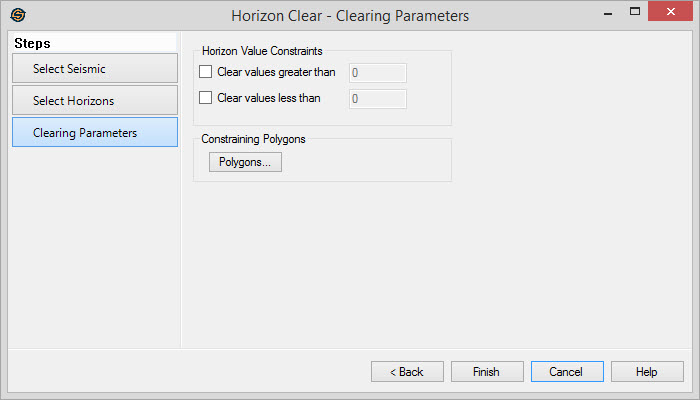
Horizon Value Constraints
If both of these options are disabled, all selected horizons will be
cleared from the selected seismic lines.
Clear values grater than: Enable this option and enter a value. Values greater than the value you enter will be cleared, and all other values will be untouched.
Clear values less than: Enable this option and enter a value. Values less than the value you enter will be cleared, and all other values will be untouched.
Constraining Polygons
 Constraining
Polygons:
Click to
open the Select
Polygons dialog to use
a polygon to limit the geographical extents of your clearing operation.
If you use an inclusion polygon, the portion of the horizon
that lies inside this polygon will be cleared. If you use an exclusion
polygon, the portion of the horizon that lies outside of the polygon
will be cleared.
Constraining
Polygons:
Click to
open the Select
Polygons dialog to use
a polygon to limit the geographical extents of your clearing operation.
If you use an inclusion polygon, the portion of the horizon
that lies inside this polygon will be cleared. If you use an exclusion
polygon, the portion of the horizon that lies outside of the polygon
will be cleared.
— MORE INFORMATION

|
Copyright © 2020 | SeisWare International Inc. | All rights reserved |