Horizon Clear: Select Horizons
The Select Horizons page of the Horizon Clear wizard allows you to select the horizons you want clear from the seismic lines selected on the previous screen. One or multiple horizons may be selected.
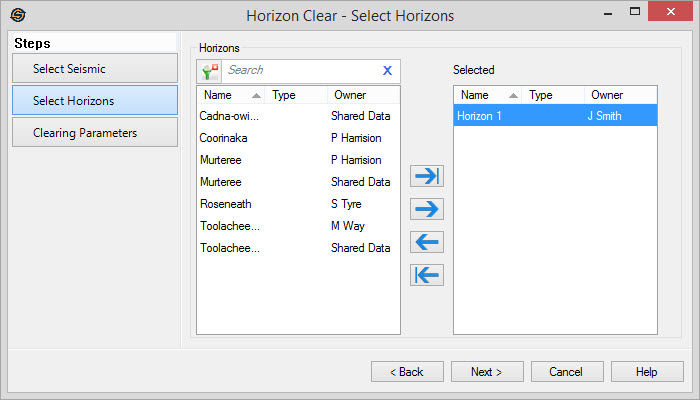
Select Horizons
Select the horizons that you want included in the horizon clearing operation. Left click to select a horizon, or use the Ctrl key on your keyboard to select multiple horizons, and then use the selection arrows to move the horizons to the Selected list. Alternately, you can move a single horizon to the Selected list by double clicking on it.
To help you make your horizon selections, you can sort any column by
left clicking
on the column header, you can apply a filter ( ), or you can type a search
string
into the search
bar to limit the list using Name,
Type, or Owner
information.
), or you can type a search
string
into the search
bar to limit the list using Name,
Type, or Owner
information.
For
additional selection options right click on the Horizons list to
access
the shortcut
menu.
— MORE INFORMATION

|
Copyright © 2020 | SeisWare International Inc. | All rights reserved |