Basemap: Toolbars
Toolbars on the Basemap are used to quickly access
functionality
such
as selecting seismic, toggling ribbons on and off and zooming. You can
customize the look of the Basemap by turning the toolbars on and off
using the View menu
option. You can also drag and drop to re-position the toolbars.
Basemap Toolbars
Basic
Toolbar: The Basic Toolbar allows you to preform various
zooming operations,
create and edit culture and re-draw the Basemap.

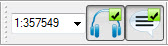
Extra
Toolbar:The Extra Toolbar allows you to set the scale for the Basemap
and
control the Talk/Listen function.
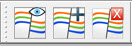
Fault
Toolbar: The Fault Toolbar allows you to view fault
properties, reassign faults
and delete them.
Grid
Toolbar:
The Grid Toolbar allows you to quickly create and display grids and
contours on the Basemap.

Standard
Toolbar: The
Standard toolbar allows you to open and save a map attribute file and
print
the Basemap.

Ribbon
Toolbar: The Ribbon Toolbar allows you to quickly toggle
between time and
amplitude, create isochrons and edit grid and horizons on the
Basemap.

Selection
Toolbar:The Seismic Selection toolbar
allows you to select
2D and 3D seismic for display.

Slice
Toolbar: The Slice Toolbar allows you to select a slice
group for display
on
the map.

Well
Toolbar:
The Well Toolbar allows you to select and control the well
information to
displayed on the map. Use the drop down to select the information to
ribbon.

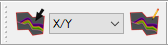
Cross Section Toolbar: The Cross Section toolbar allows you to create and edit cross sections. Use the drop down to select they type of cross section to create.
Also See
— MORE INFORMATION

|
Copyright © 2020 | SeisWare International Inc. | All rights reserved |