Well Export
The Well Export dialog let you export any well information from your SeisWare project. This includes general well information, tops, production data, directional surveys, velocity curves and LAS curves.
 How do I export well data?
-
Choose the Type of Well Export.
-
Specify the data items to be exported. Depending which type of export was selected, certain options will be grayed out.
-
Select the wells that information will be exported for. Note: You can select multiple wells by holding down the Ctrl key or selecting an area off the Basemap.
-
Set the parameters for export for data chose to be exported. There are different parameter settings for general well information, tops, and for curves.
-
Specify the export settings either for Columnar ASCII/Photon ASCII Exports or for LAS Exports.
-
Click
 . You will now have an exported well file
in the specified location.
. You will now have an exported well file
in the specified location.
General Information
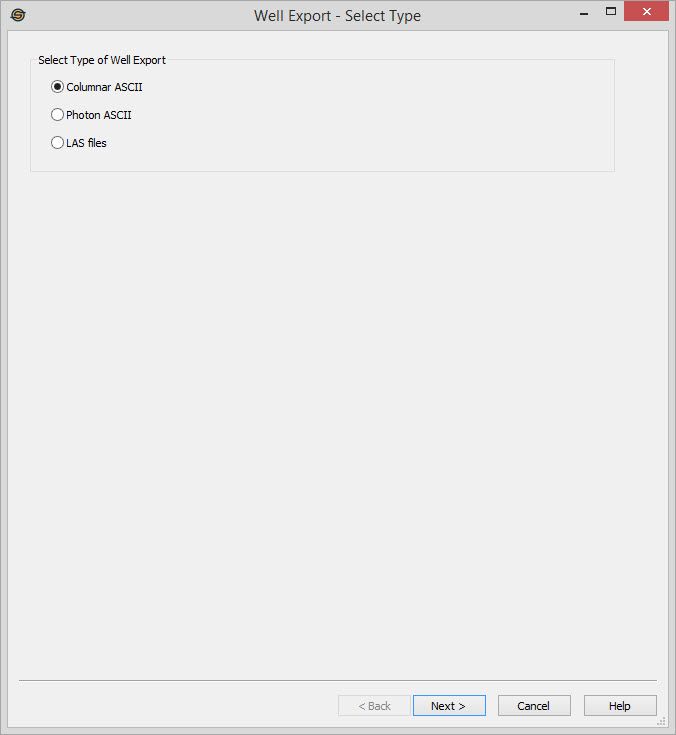
Select Type of Well Export
Select the format you want the exported files to be in.
Columnar ASCII: Selecting this option will allow you to export general well data (such as current status), tops or directional surveys in a simple columnar format with one well per line. This format must be selected to export production data.
Photon
ASCII: Selecting this option will allow
you to export general well data
(such as current status), tops and directional surveys in Photon ASCII
format. Photon ASCII files can be used to import data into SeisX.
LAS files: Selecting this option will
allow you to export LAS version 2.0 files containing log curves and
well tops. One file will be created for each well.
Well Export Options
— MORE INFORMATION

|
Copyright © 2020 | SeisWare International Inc. | All rights reserved |