Batch Seismic Rename: Select Lines
Use the Specify Line Names page to select the seismic lines you wish to rename.
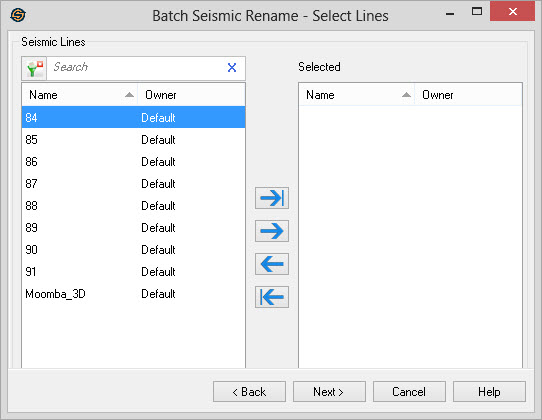
Select Seismic Lines
Select the seismic lines that you want to rename. Left click to select a seismic line, or use the Ctrl key on your keyboard to select multiple seismic lines, and then use the selection arrows to move the lines to the Selected list. Alternately, you can move a single line to the Selected list by double clicking on it, and move a group of lines by selecting them from the Basemap.
To help you make your line selections, you can sort any column by left
clicking
on the column header, you can apply a filter ( ), or you can type a search string
into the search
bar to limit the list using Name,
and Owner
information.
), or you can type a search string
into the search
bar to limit the list using Name,
and Owner
information.
For additional selection and navigation options, right click on the list to access the shortcut menu.
— MORE INFORMATION

|
Copyright © 2020 | SeisWare International Inc. | All rights reserved |