Batch Seismic Rename: Specify Line Names
Use the Specify Line Name page to enter new values for the line
names of the selected
lines.
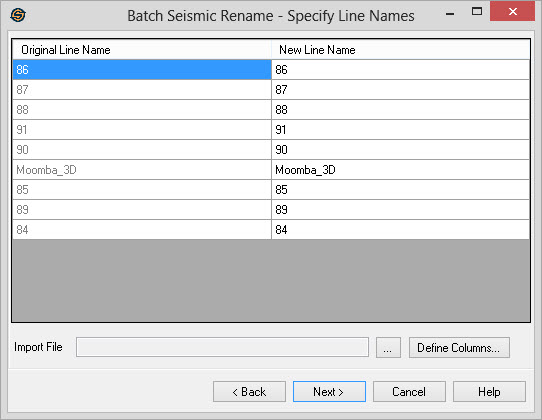
Specify Line Names Table
Manually enter new line name if you aren't using an import file.
Original Line Name:
A list of the current names for the lines selected on the previous
page of the seismic rename wizard.
New Line Name: A list of all the new names
you wish to give the lines. Edit this list
to specify the new names for the lines.
Use Import File
Import File:
You can import a list of new file names from a columnar ASCII
file. Click  to select the file. Use the
Define Columns button to define the two columns in the file. Note:The
file must contain theOriginal Line
Name.
to select the file. Use the
Define Columns button to define the two columns in the file. Note:The
file must contain theOriginal Line
Name. Define Columns: Use the Define Columns
button to define the original line name and new line name columns in
the import file. After hitting the OK button in the define columns
dialog the defined columns will be automatically imported into the
current page.
Define Columns: Use the Define Columns
button to define the original line name and new line name columns in
the import file. After hitting the OK button in the define columns
dialog the defined columns will be automatically imported into the
current page.
— MORE INFORMATION

|
Copyright © 2020 | SeisWare International Inc. | All rights reserved |