Well Properties: Menus
The Well Properties menus are available to help you make well selections, change the appearance of the dialog, access help information, and close the dialog.
Well Properties Menus
File Menu
Exit:Close the Well Properties dialog.
Edit Menu
Delete:Delete selected wells from the Wells list. Wells will be permanently deleted from the database, and so will all associated well information (tops, log curves, velocity curves and directional surveys). Note: this operation CANNOT be undone.
Batch Rename: Open the Batch Rename dialog to rename multiple wells in one operation.
Select All: Select all the wells in the Wells list.
View Menu
Invert Selection: Deselect all selected wells in the list and select all deselected wells. This is useful when you are trying to delete all but a subset of wells selected from the map.
Always on Top: When enabled the Well Properties window will stay on top of all other windows on your screen, even when inactive.
Show Advanced: When enabled you will see the advanced tabs which allow you to perform bulk operations on your well data.
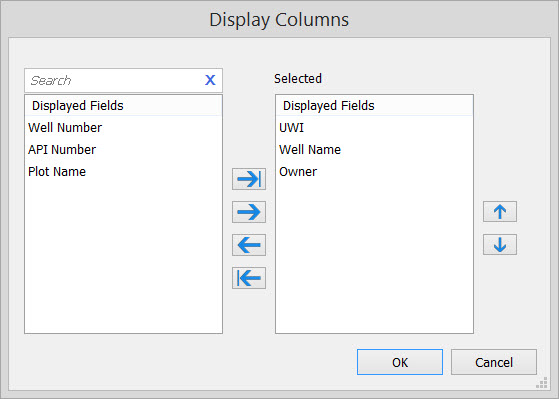
Display Columns: Select which columns to display on the Wells List and on well selection lists throughout the project.
Tools
Data Filters:
Open the Data Filters
dialog to view or create data filters.
Help Menu
Well Properties Help:Open the Help files for the Well Properties dialog.
About Well Properties:Provides general information about the current version of the Well Properties application.
Also See
— MORE INFORMATION

|
Copyright © 2020 | SeisWare International Inc. | All rights reserved |