Display Settings
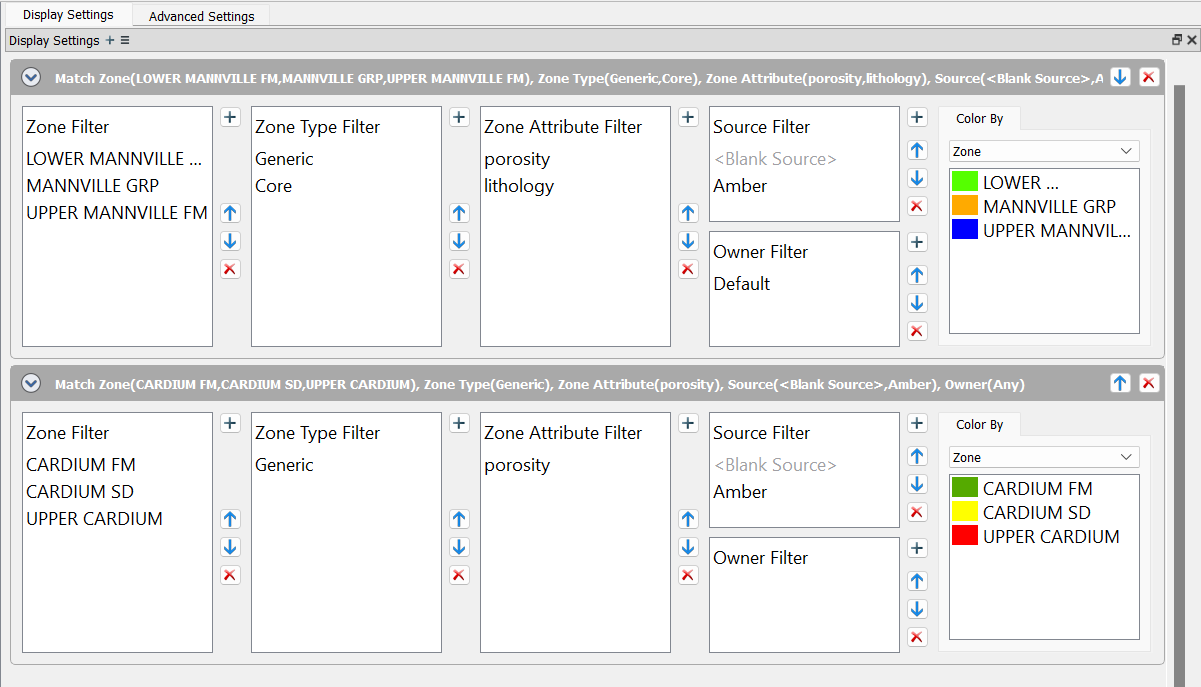
Display Settings in Set Displayed Zones is used to define your displayed zones as well as set rules for your zones. Each Match Zone entry can have multiple zones, types, attributes, expressions, Sources, and Owners.
Options

 Add Display Group: Adds a new Match Zone to the selected set of displayed zones.
Note: You can add multiple Match Zones to displayed zones.
 Options: Option to expand or collapse all Match Criteria.
Match Zone Priority

 Expand/Collapse: Expands or collapses the selected Match Zone.
 Delete: Deletes the Match Zone.
Match Zone Properties
Specify a priority order and use the Zone, Zone Type, Zone Attribute, Source, and Owner filters to select your zones, types, attributes, sources, and owners to use in your Match Zoneproperties. Also select how to color the zones.
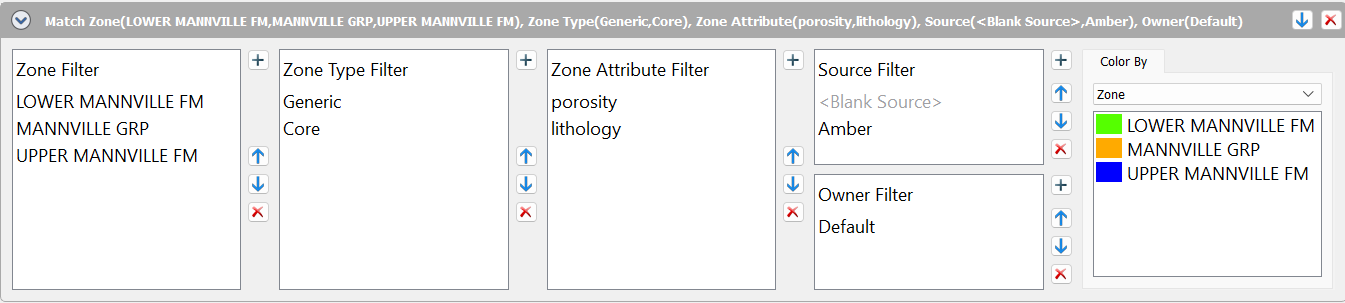
Zone Filter: Use the  to open the Zone Filter to select zones, or type in expressions.
Zone Type Filter: Use the to open the Zone Type Filter to select zone types, or type in expressions.
Zone Attribute Filter: Use the to open the Zone Attribute Filter to select zone attributes, or type in expressions.
Source Filter: Use the to open the Source Filter to select sources, or type in expressions.
Owner Filter: Use the to open the Owner Filter to select owners, or type in expressions.
Note: You can use as many zones, zone types, expressions, sources, and owners in your Match Zone.
Color by: Choose to color by Zone, Zone Type, Zone Attribute, Source or Owner. Click on the color panel to open the Select Color dialog and select the color. Note: If there are zones that overlap each other, drawing order is based on which data entry was the last to be added to the database.
— MORE INFORMATION

|
Copyright © 2020 | SeisWare International Inc. | All rights reserved |