Output Parameters
The Output Parameters page allows you to decide your final output options and finish the operation.
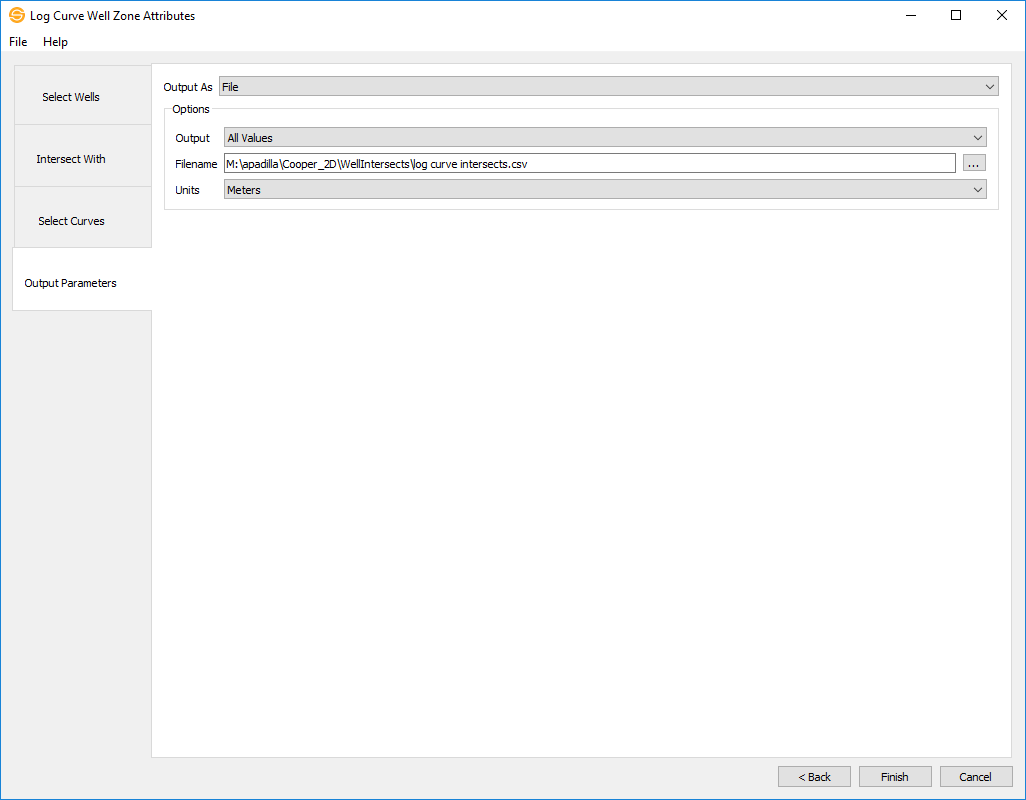
Output Options
File: Output the extracted data into a *.csv format.
Output: Specify how you want to treat the values extracted. Instead of outputting all data values, you can optionally choose to output an Average, Median , Maximum, or Minimumvalue.
Filename: Specify the output name and destination of the file using the  button.
Units: You can specify the filename, location, and units.
Log Curve: Output the extracted data as a log curve.
Overwrite Existing Data: If a log curve with the same name exists, you have the option to overwrite the log curve.
Name Extension: All log curves generated will have an extension of "Extracted" appended to the log curve name but can be changed to your liking.
Override Input Log Curve Source: If toggled on, you are able to specify a new source for the outputted logs. If toggled off, the source outputted will be the source for the input log curve.
Well Zone Attribute: Output the extracted data as a well zone attribute.
Output: Specify how you want to treat the values extracted. Instead of outputting all data values, you can optionally choose to output an Average, Median , Maximum, or Minimumvalue.
Zone Attribute: Specify or select a zone attribute to output to.
Zone: Specify the zone that the zone attribute will be assigned to. Note: If you use a well zone as your restricting interval in the Intersect With page, this field will automatically assign your zone attribute to that zone.
Source: Specify or create a source to output to.
Overwrite Existing Data: If the defined well zone attribute already exists for the well with the same depth range and zone, this option allows you to overwrite it.
- Previous: Select Curves
— MORE INFORMATION

|
Copyright © 2020 | SeisWare International Inc. | All rights reserved |