Merge Tops: Tops Selection
The Tops Selection page allows you to select the tops and sources that will be merged.
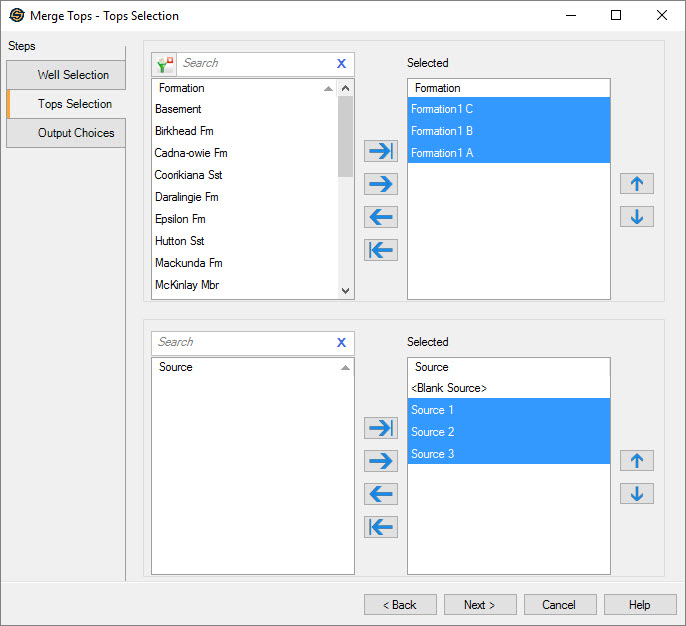
Select Tops
Select one or more tops to merge. The tops can be moved between the Available and Selected lists using the selection arrows, or by double clicking on a single source. Sources need to be selected in a specific order when they are being used define the merge behavior. To make tops selection easier type a search string into the search bar to limit the list based on Formation name.
For additional selection and navigation options right click on the formation list to access
the shortcut
menu.
 Move Up:
Select a source and click to move it up in the Selected list list
Move Up:
Select a source and click to move it up in the Selected list list Move Down: Select a source and click to move
it down in the Selected list.
Move Down: Select a source and click to move
it down in the Selected list.
Select Sources
Select one or more sources. The sources can be moved between
the Available and Selected lists using the selection arrows, or by
double clicking on a single source. Sources need to be selected in a
specific order when they are being used define the merge behavior.
Move Up:
Select a source and click to move it up in the Selected list listMove Down: Select a source and click to move
it down in the Selected list
list
— MORE INFORMATION

|
Copyright © 2020 | SeisWare International Inc. | All rights reserved |