Getting Started: Basemap
How do I change the appearance of the Basemap?
The General Basemap Properties control the appearance of the map, including map colors, line display properties and postings, well appearance and well criteria. Layer Properties, also contained in General Basemap Properties, controls the data that is visible on the map, and is where you can turn objects on and off, such as grids, wells, seismic data, polygons and faults.
There are three ways to open the General Basemap Properties:
-
From the Basemap, click the General Basemap Properties icon (
 ) on the Basic Toolbar.
 -
From the Basemap, right-click in the map area and select General Properties from the shortcut menu.
-
From the Session menu on the Main Launcher Session menu select Basemap Properties. Note that opening the General Basemap Properties this way will open adjust the default properties which will be applied when a new map is opened, but will not apply to any open Basemaps.
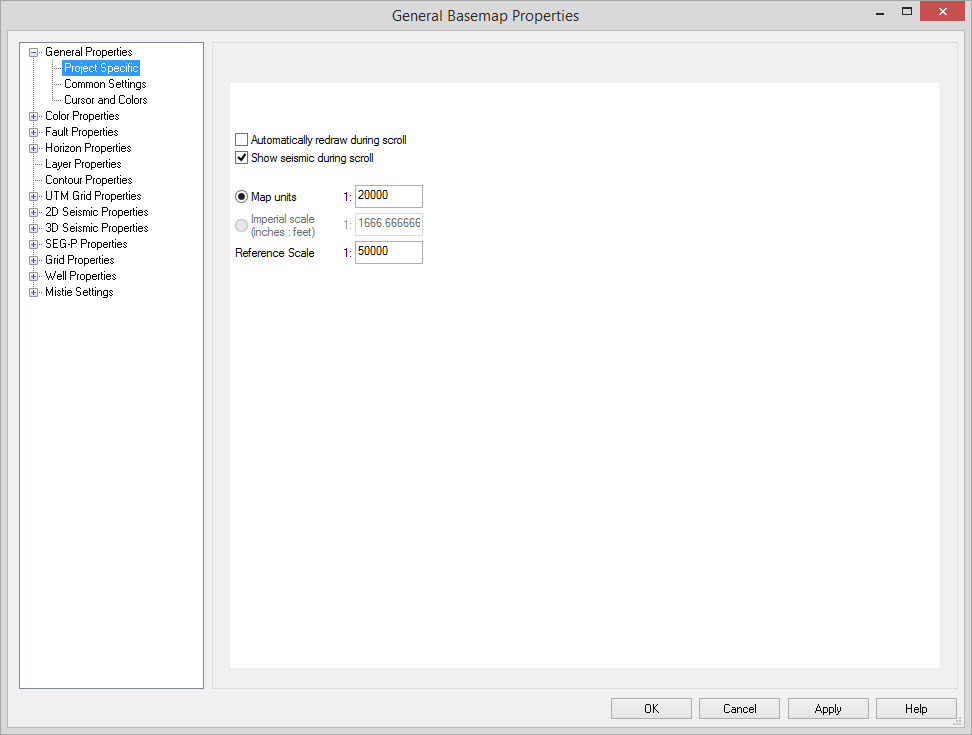
The left hand portion of the General Basemap Properties dialog box contains a list of sections. To expand the section click the plus sign ( ) next to each heading. Select the property you wish to adjust and then change the setting in the right hand area of the window. Click to
  see the changes without exiting General Basemap Properties, or
  to accept the changes and close the dialog box.
— MORE INFORMATION

|
Copyright © 2020 | SeisWare International Inc. | All rights reserved |