Well Tops Calculator: Calculator
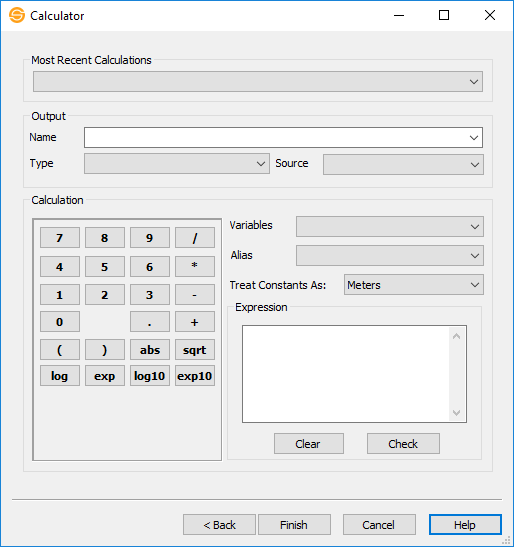
Use the Calculator page to create and perform the well top calculations.
Recent Calculations
Most Recent Calculations: This drop down contains a list of the most recent well tops calculations. Select an item from this list to quickly redo calculations after you have modified your tops.
Output
Name: Specify the name of a top to write as the output. You can select an existing top, or type in the name of a new top.
Type: Specify if the output value is a measured depth, subsea, generic depth or unitless value.
Output Source: Specify
a source for the well tops that will be output. You can leave
this blank, or specify an existing source.
Calculation
Variables: Use the drop down to enter a well top name into the expression.
Alias: Use the drop down to select a formation alias to use in your expression. (Coming Soon!)
Treat Constants As: For any constant number used in the calculation, you can specify if the values are in feet or meters.
Expression: Displays the final output computation expression. The expression is created by selecting Variables and from the drop down, and using the keypad to select operators and constants.
Note on operators: The operators are all unary operators. They require one value after the operator on which the operator will be performed. That value may be a grid. Thus, the expression abs "Grid A" will compute the absolute value of "Grid A". The abbreviations used are: abs (absolute value), sqrt (square root), log (natural log), exp (natural exponent), log10 (log base 10), and exp10 (exponent base 10).
 Clear:
Erase the existing expression to start over.
Clear:
Erase the existing expression to start over.
 Check: Performs a check to ensure
the
expression is valid. No output is created.
Check: Performs a check to ensure
the
expression is valid. No output is created.
— MORE INFORMATION

|
Copyright © 2020 | SeisWare International Inc. | All rights reserved |