3D Visualizer: Scene
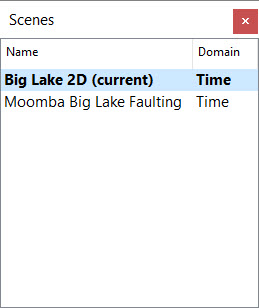 The Scene dialog box is used when you want to create a new scene, switch between scenes, rename a scene, create a copy of an existing scene, or delete a scene. Double click on a scene to open and display it in the main window.
Right click on an existing scene to open the shortcut menu and access these options.
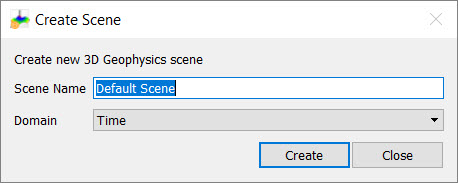
Add Scene: Open the Create Scene dialog box to create a new, blank scene. You will be prompted to enter a Name and select a Domain (time or depth). Once it's created, add new data to the scene from the Data Selection dialog box.
Switch to Scene: Right click on the scene you want to open and select this option. Alternately, double click on the scene you want to open.
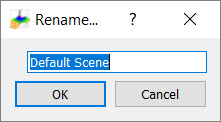
Rename Scene: Right click on the scene you want to rename. Enter the new name in the Rename dialog box.
Copy Scene: Right click on the scene you want to copy. The new scene will have " - copy" appended to the end of the original name.
Delete Scene: Right click on the scene you want to delete. This will permanently delete the scene.
— MORE INFORMATION

|
Copyright © 2020 | SeisWare International Inc. | All rights reserved |