Well Template Designer: Well Templates
The Well Templates dialog box is used when you want to create a new template, switch between templates, rename a template, duplicate an existing template , or delete a template. Double click on a template to open and display it in the main window.
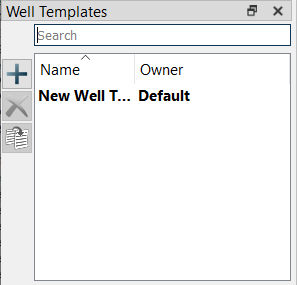
Well Template Tree Icons
Add Well Template: Creates a new template with the name New Template. .
Delete Well Template: Deletes the selected template. Note: This will permanently delete the template.
Duplicate Well Template: This creates an duplicate of the selected track template.
You can also access these features by right clicking on an existing template to open the shortcut menu. You can also rename a template this way.
Rename Well Template: Right click on the template you want to rename. The field will become editable in the dialog allowing you to change the name. Click Enter to save your changes.
— MORE INFORMATION

|
Copyright © 2020 | SeisWare International Inc. | All rights reserved |