Settings
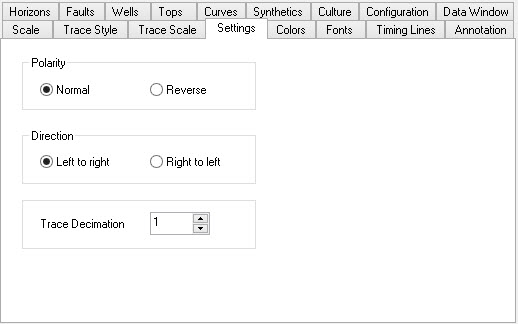
The Settings page contains some basic parameters about the default
display of the seismic section.
Polarity
Polarity:
Polarity is used to change the appearance of wiggles on the
screen.
If you set the polarity to Reverse peaks will become troughs and
troughs
will become peaks. This will not affect the data on disk, but
only
affects the way the data is displayed.
Direction
Directions:
Set the direction to right
to left to reverse the seismic
display.
The trace that appeared at the far left will now appear at the far
right.
Trace Decimation
Trace Decimation: Trace decimation specifies the number frequency of traces to load and display. The default setting of 1 will load all every trace, while a setting of 3 will load and display every third trace.
— MORE INFORMATION

|
Copyright © 2020 | SeisWare International Inc. | All rights reserved |