Rename Seismic Line
The Rename Seismic Line utility, found in the Line Properties, allows you to rename a seismic line. It will rename any disk files as well as perform all the appropriate modifications to the database, including changes to interpretation files. It ensures that after a line name has changed, all work and associated information remains synced.
 How do I rename a seismic line?
-
Select the line to be renamed from the list.
-
Type in the new line name in the New Name field.
-
Click
 to apply the change.
General Information
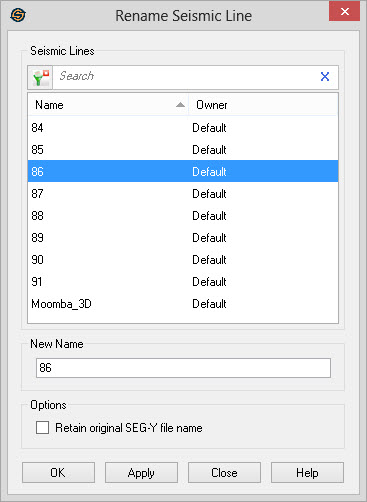
Select Seismic Line
Select the line you
wish to rename from this list. To help you make your line selections,
left
click on column headers to sort
the column, apply a filter ( ), or type a
search string into the search bar
to limit the information in the list Name,
and Owner information.
), or type a
search string into the search bar
to limit the information in the list Name,
and Owner information.
New Name
Specify a new name for the selected line in the list.
Options
Retain original SEG-Y file name:
Turn this on to
prevent the utility from renaming the
associated SEG-Y files when renaming the seismic line. When left
unchecked the normal behavior is to change the file name to include the
new line name as part of the file name.
— MORE INFORMATION

|
Copyright © 2020 | SeisWare International Inc. | All rights reserved |