License Source Configuration
The License Source Configuration dialog box is used identify the location of the software license.
Machine Based License
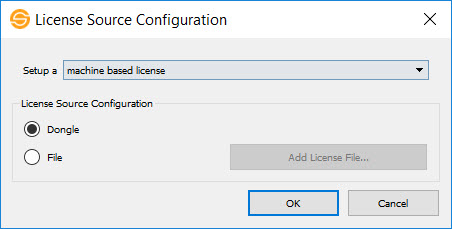
Select Setup a machine based license when you have a machine based USB license key (dongle) or the license file contains a single license that will not be accessed from other workstations.
License Source Configuration: Select the license type.
Dongle: License is contained on a dongle.
File: License is contained in a file. Click  and then select the *.swlic file provided by the sales team.
License Server
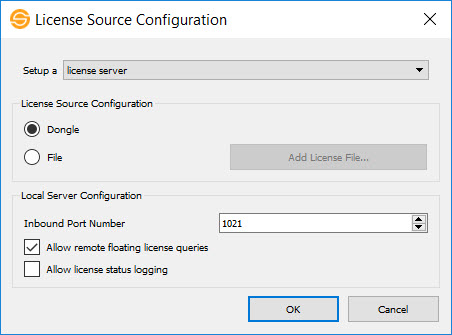 Select Setup a license server when you have a floating USB license key (dongle) or the license file will be accessed from other workstations.
License Source Configuration: Select the license source.
Dongle: License is contained on a dongle.
File: License is contained in a file. Click and then select the *.swlic file provided by the sales team.
Local Server Configuration: Identify the inbound port number and administrative options.
Inbound Port Number: Enter the port number that will be used for communication with the license server. The default will normally work, although this may need to be modified if working through a firewall.
Allow remote floating license queries: Allow users to open the License View window to see who is currently using licensed components.
Allow license status logging: Create a status file to track license use.  See Logging Configuration options...
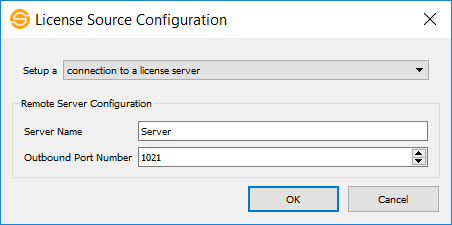 Connection to a License Server
Select Setup a connection to a license server when you are accessing a license that is not housed on your workstation.
Server Name: Enter the name of the machine houses the dongle, or where the license file is installed.
Outbound Port Number: Enter the port number that will be used for communication with the license server. The default will normally work, although this may need to be modified if working through a firewall.
10Duke License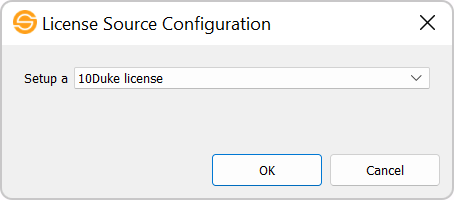
Select 10Duke License when you want to use SeisWare's web-based licensing. Note: This option is only available in SeisWare version 10.8 or later.
— MORE INFORMATION

|
Copyright © 2020 | SeisWare International Inc. | All rights reserved |