Field Development Tool: Groups
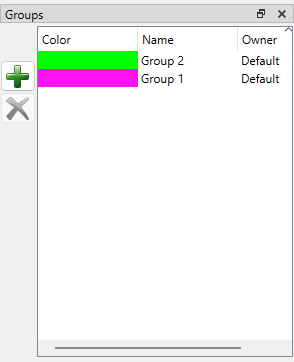 The Groups dialog box, available in the in the Pad Plan 2D window, is used to select sort well pad legs into sub-grouping, and assign each group a colour to quickly and easily identify them.
Groups can be created and deleted from this dialogue. Click the green plus icon to create a new group. Once created, the group can be given a name, and assigned a colour. After at least one group has been created, well pad legs can be assigned to that group.
Assigning well pad legs to a group
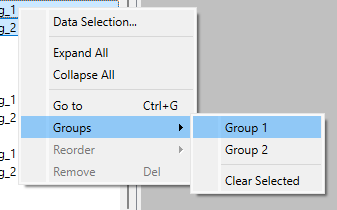 Well pad legs can be assigned to a specific grouping in 2 ways:
1. From the scene tree, manually select the legs to be assigned to the group. Then right click the selection. Under the right click menu, navigate to Groups, and then select the specific grouping to send the legs to.
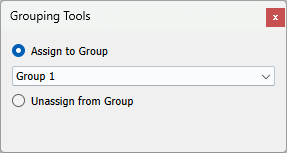 2.From the 2D Pad Plannertoolbar, select Assign/Unassign Groups,
 , or use the A key on the keyboard. The Grouping Tools window will appear. This allows you to click on a well pad leg, and assign it to the toggled group, or unassign it from it's current group.
Also See
— MORE INFORMATION

|
Copyright © 2020 | SeisWare International Inc. | All rights reserved |