Cross Plot: Legend Dialog Box
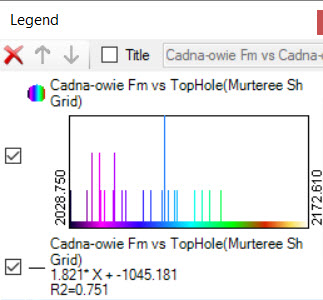 The Legend dialog box shows a list of items that are available for display, including cross plots, trend lines, and polygons. Place a check mark next to the items you want visible in your display, select an item and use the up and down arrows to reorder the item, or select an item and use the delete icon to remove it from the display.
Title: Turn this on to display a title above the graph. Enter the title in the title field.
 Delete: Delete the selected item.
 Move Up: Move the selected item higher in the list. This will affect the order in which is drawn in the display.
 Move Down: Move the selected item lower in the list. This will affect the order in which is drawn in the display.
— MORE INFORMATION

|
Copyright © 2020 | SeisWare International Inc. | All rights reserved |