Goto
The Goto dialog box allows
you o find and center the Basemap on a specific piece of data. It's
a quick way to find any data item in the project. It can be accessed by
right clicking on the map area and select GoTo from the shortcut menu, from
the Basemap Tools Menu, or by using the hot
key combination Ctrl + G. The data
is divided into data type tabs described below.
 How do I use the Goto feature?
-
Select the tab for the data type you want to use to center your map.
-
Select the data item from the list, or enter an XY position. You can use the search bar, or a filter (
 ) to limit the data items available
in the list.
) to limit the data items available
in the list. -
Click
 . The map will
recenter on that item or position.
. The map will
recenter on that item or position. -
Change the zoom level if necessary. The map doesn't zoom when the display is centered.
Well
|
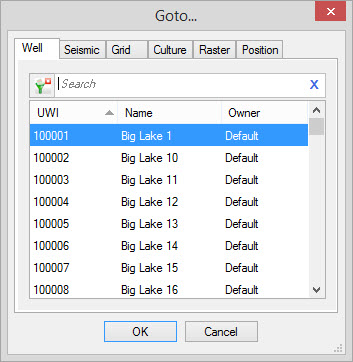
UWI: A list of wells visible on the map. Name: A list of the common well names associated with each UWI visible on the map. Owner:A list of the owners associated with each UWI in the list. |
| Back to Top |
Seismic
|
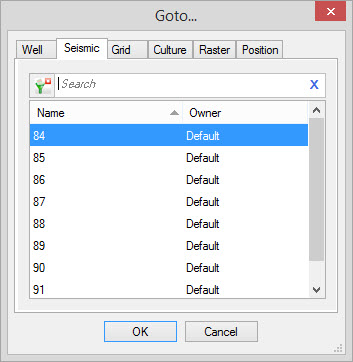
Name: A list of seismic lines visible on the map. Owner:A list of the owners associated with each seismic line in the list. |
| Back to Top |
Grid
|
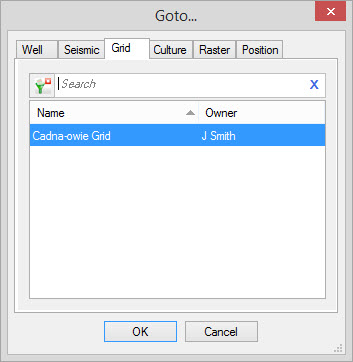
Name: A
list of grids visible on the map. Owner:A list of the owners associated with each grid in the list. |
| Back to Top |
Culture
|
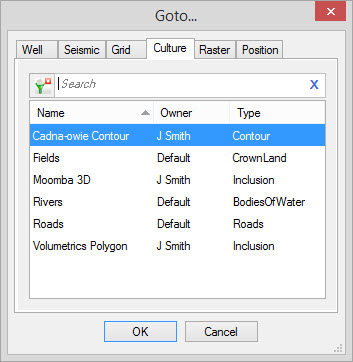
All active the visible culture
layers will be displayed in the list. Name: A list of culture images visible on the map. Owner:A list of the owners associated with each culture layer in the list. Type: The type of culture. |
| Back to Top |
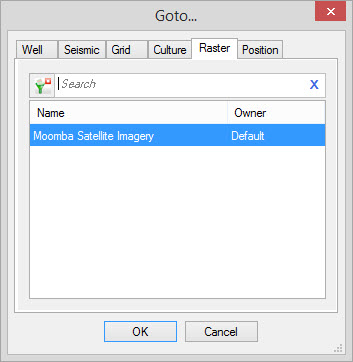
Raster
|
Name: A
list of raster images visible on the map. Owner:A list of the owners associated with each raster in the list. |
| Back to Top |
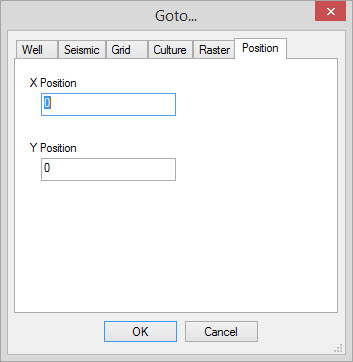
Position
|
Type in the X Position and the Y
Position value that you wish the map to be centered on. |
| Back to Top |
Also See
— MORE INFORMATION

|
Copyright © 2020 | SeisWare International Inc. | All rights reserved |